
The price tracker worked. The deployment still needed an audit.
A self-hosted price tracker sounds like a weekend project. Give it a few product pages, let it check them on a schedule, and wait for a notification when a price drops. That was the appeal of PriceBuddy, an open-source tracker with price history, watchlists, browser tooling, and several notification options.
The application itself was useful almost immediately. The difficult part was everything around it: the startup sequence, persistent storage, account setup, recovery behavior, and the temptation to call an extra login screen "single sign-on." By the time the service was ready for regular use, the most reusable result was not a shopping dashboard. It was a short deployment method that catches the awkward failures a green container status cannot see.
Read what runs before the application
A container image is not a sealed appliance. Its entrypoint is part of the application, even when it lives several layers below the Compose file.
PriceBuddy's normal startup path did the expected chores: create configuration, prepare storage, run database work, and launch the web process. One helper was also far noisier than it needed to be. It would have placed configuration values in the container logs before the application started.
That changed the deployment plan. Rather than accepting the packaged startup path wholesale, I kept the useful initialization steps and replaced the noisy portion with a small, reviewable launcher. The replacement creates the required framework directories, runs the necessary setup, and starts the service without treating the environment as debugging output.
This is an easy problem to miss because the container can still look healthy. The page loads. The scheduler runs. The database responds. Meanwhile, anyone with routine log access may be able to read values that were never meant to become logs.
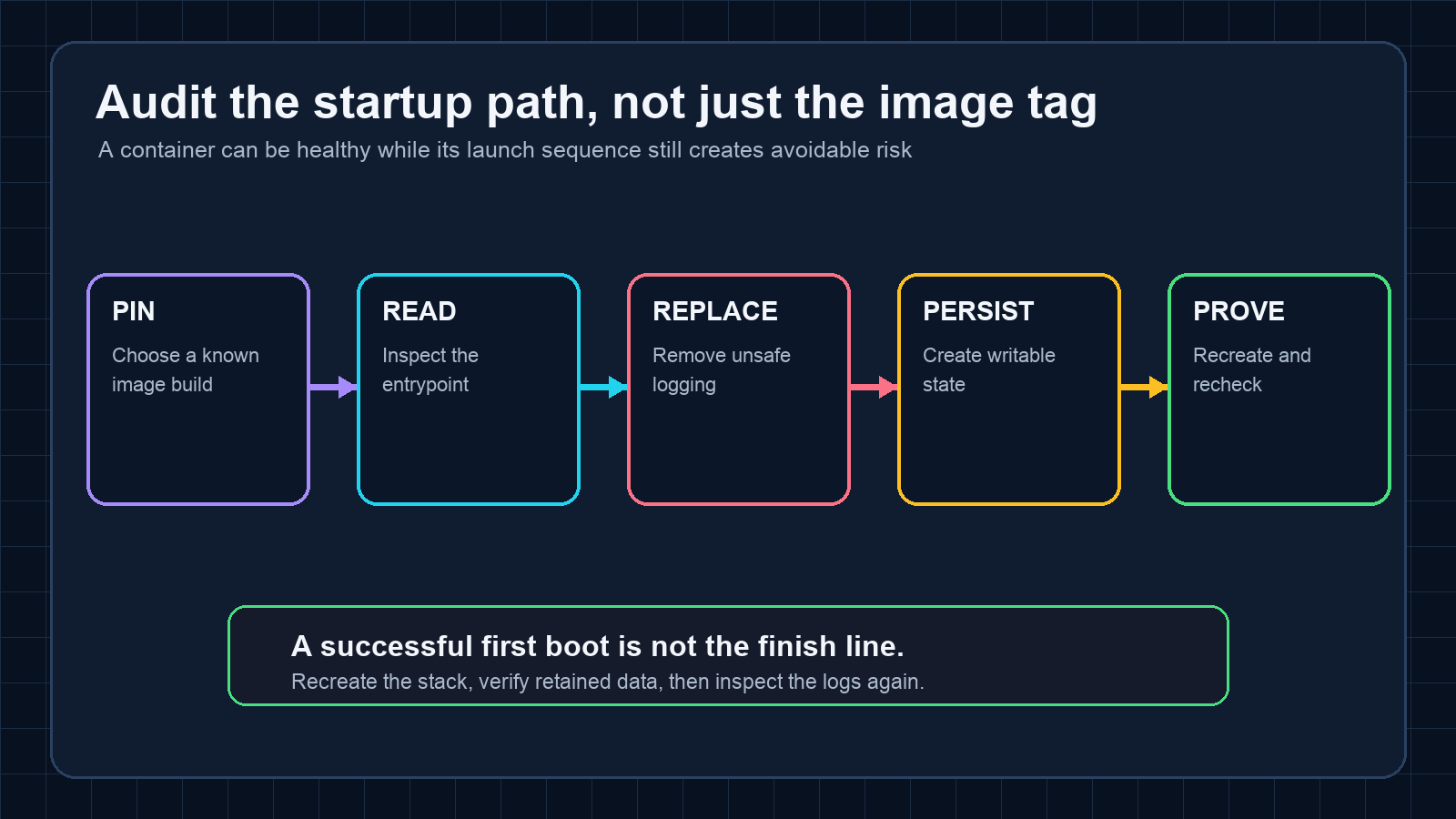
The practical check is simple: inspect the image's entrypoint and every script it calls. Search for environment dumps, shell tracing, generated configuration, default accounts, broad file permissions, and migrations that assume a database is already ready. Then read the first-boot logs as if they were going to a shared support system, because one day they probably will.
First boot is where assumptions collide
The first launch exposed a second class of problem. The application expected writable cache and session directories, but the persistent layout did not create every directory in the order the framework expected. A cache operation arrived before the cache path was ready.
The fix was unglamorous: choose an explicit file-backed cache, create the full directory tree before startup, and set ownership narrowly enough that the web process could write without making the whole deployment permissive. It took longer to diagnose than to repair.
That sequence is common in self-hosted software. The image works in the author's example because an unnamed volume, a permissive filesystem, or a lucky startup order quietly satisfies an assumption. A durable deployment changes one of those conditions and reveals the dependency.
A good acceptance test therefore includes a full recreation, not just a restart. Stop the stack, remove the disposable containers, bring it back from the saved definition, and check that the account, database, watchlists, and application state survived. Persistence should be demonstrated after destruction of the replaceable layer.
The same test should include a real login. A successful home page proves surprisingly little. The useful checks are whether the login form works, whether the seeded administrator was replaced, whether the saved credential matches the live account, and whether the application remains usable after recreation.
An access gate is not single sign-on
The strangest mistake came after the service was already running. I placed it behind a central identity gate and initially treated that as an authentication integration. The gate worked: unauthenticated visitors had to sign in before reaching the application.
Then the application asked for its own password.
That is not single sign-on. It is two sign-ins stacked together. The first system controls access to the front door; the second still owns the user session. Calling the combination SSO does not make the second password disappear.
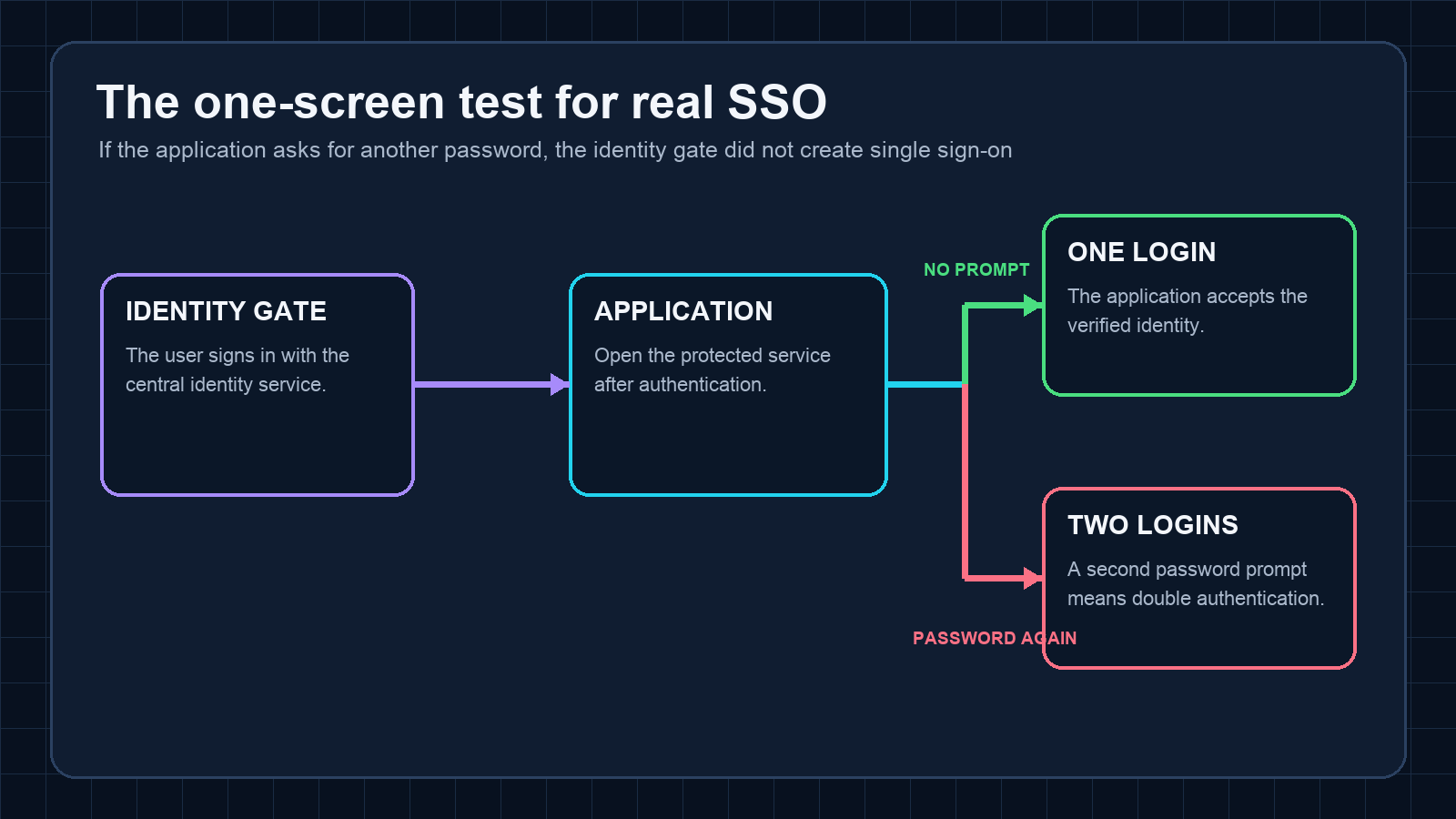
The distinction matters because each arrangement solves a different problem. An access gate can be useful for coarse admission control. Real SSO requires the application to accept an identity through a supported protocol or a carefully trusted identity mechanism. If neither exists, the honest choices are double authentication or the application's own login.
For this deployment, the extra gate made the experience worse without eliminating the application password. I removed it and left the application as the sole login authority. Network restrictions still limited where the service could be reached, but the login path became simpler and, more importantly, accurately described.
There is a wonderfully blunt acceptance test for future projects: authenticate once, open the application, and count password prompts. If the count reaches two, stop calling it SSO.
Small services deserve complete endings
The final deployment used pinned container builds, persistent application and database storage, a non-default administrator, and a saved credential that was checked against the live account. The service survived a complete recreation. Its login path was tested through the final HTTPS route. Configuration and recovery notes were updated alongside the running service rather than left for a cleanup day that would never arrive.
None of those steps is exotic. Their value comes from doing them together.
The resulting checklist is short:
- Read the container's startup path, not only its documentation.
- Keep private configuration out of logs and generated artifacts.
- Create persistent directories deliberately, with the minimum useful permissions.
- Replace default accounts and verify the saved credential against the live service.
- Recreate the stack and prove that state survives.
- Test the final route with a real login.
- Count password prompts before claiming SSO.
Price tracking was the reason to install the software. The deployment audit was what made it worth keeping. A useful self-hosted service should survive replacement, tell the truth about how users authenticate, and leave no surprises in the logs. That is a higher bar than "the page opened," but it is also a much better definition of done.