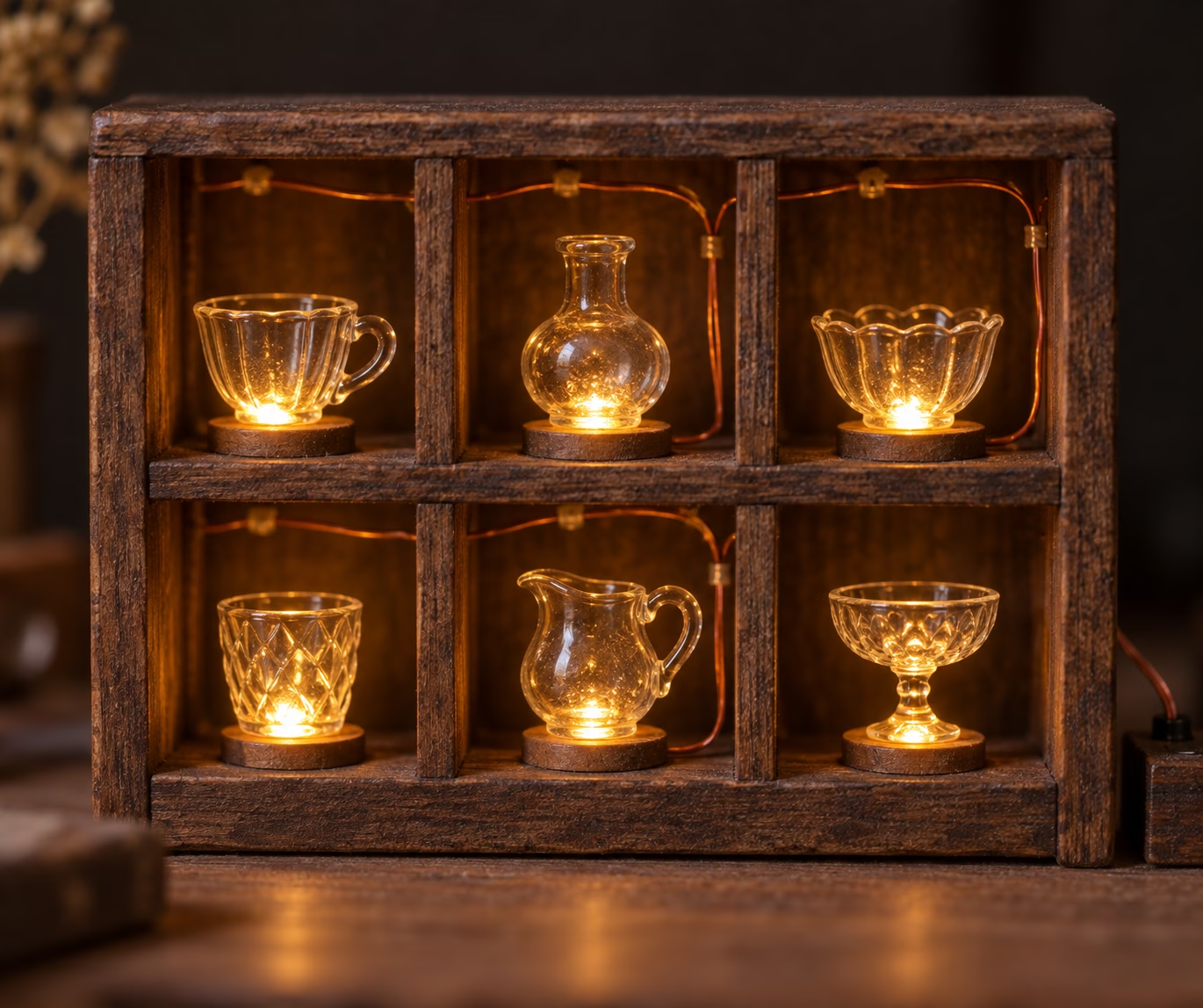
Illustrated wiring plan for a shot-glass LED display
Three five-meter BTF-LIGHTING 12 V SK6812 RGB + natural-white (RGBNW) reels, four LEDs per shot-glass cubby: here is the illustrated wiring plan. The original, full-resolution color charts are openly hosted and licensed CC BY 4.0:
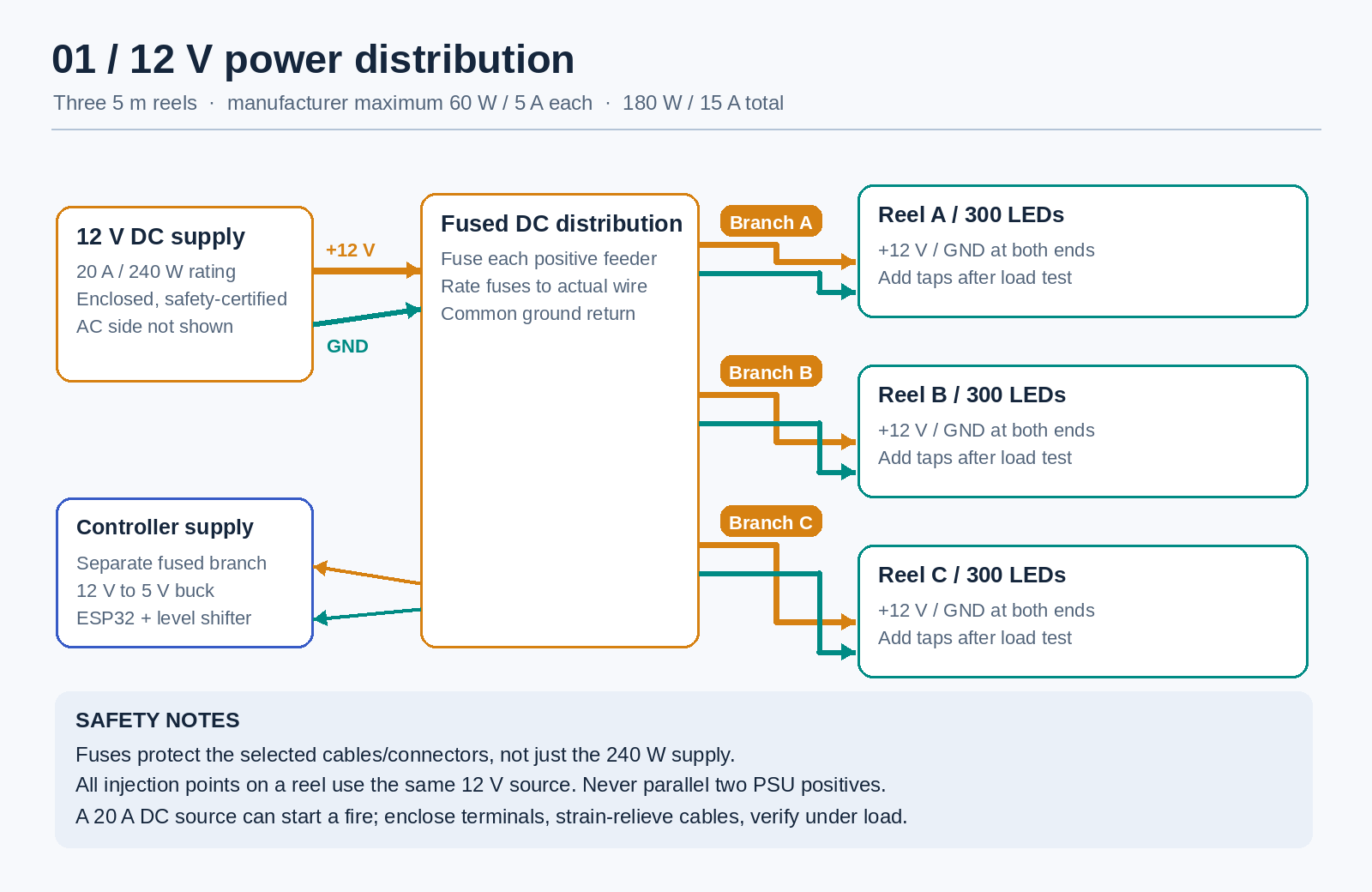
- Open chart 1: fused 12 V power distribution (PNG)
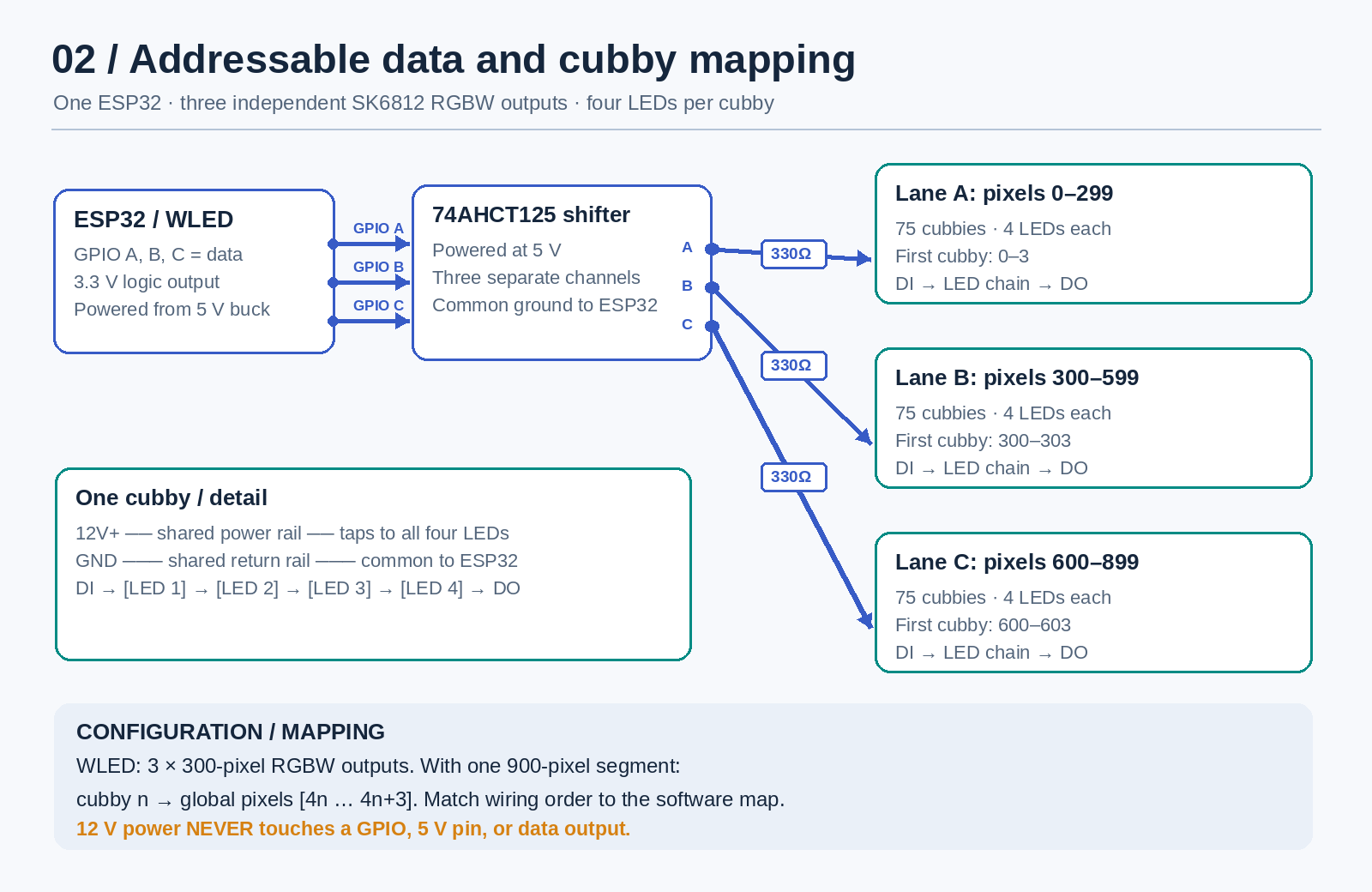
- Open chart 2: ESP32 data lanes and four-LED cubbies (PNG)
Confirm the exact reel first. The BTF 12 V/60 LED-per-meter strip lists one IC and addressable RGBW pixel per LED; its diagram shows one-LED cut marks. Some other 12 V listings group three LEDs into one pixel, which cannot be cut into four-LED cubbies cleanly. The common 5 V SK6812 strip must not be connected to 12 V. Compare the BTF specifications with a grouped-pixel alternative.
12 V power: chart 1
View or download the power-distribution chart. BTF rates this exact strip at a theoretical maximum of 12 W per meter. That makes each five-meter reel 60 W/5 A, and all three 180 W/15 A. I recommend one safety-certified, enclosed 12 V / 20 A (240 W) DC supply, leaving capacity for the controller. Check the reels in hand and recalculate if their packaging gives a higher figure.
From the supply, use a fused DC distribution block: a protected positive feeder and ground return for each reel, plus a small separately protected feed to a 12-to-5 V buck for the controller. Choose each fuse together with the actual cable and connector rating. Feed the start and far end of each reel from the same supply/branch; use sized +12 V/GND rails and local taps through the cabinet rather than trusting tiny inter-cubby connections to carry a full reel’s current. Measure far-end voltage under full-brightness white and add protected taps if needed. Never parallel positives from different power supplies. See WLED’s fuse and power-injection guide.
This is a DC topology chart, not a mains installation drawing. End injection is called out but not individually illustrated. Wire gauge, fuse rating, connector choice and tap spacing depend on the real cabinet. Enclose exposed terminals, provide ventilation and strain relief, and have a qualified person handle unfamiliar AC work.
Addressable data: chart 2
View or download the independent-data-lane chart. Use one ESP32 running WLED with three 300-pixel SK6812 RGBW outputs. Three distinct ESP32 GPIOs go to three separate channels of a 5 V-powered 74AHCT125-type level shifter; each output gets its own roughly 330-ohm series resistor before its reel’s DI pad. Do not join data outputs. In each cubby, data passes through four LEDs and continues from DO to the next cubby’s DI. LED, buck, ESP32 and shifter grounds are common. Never put LED +12 V on an ESP32 GPIO or 5 V pin. Follow BTF’s DI/DO direction and WLED’s level-shifter guidance. The chart is not a pin-numbered shifter package schematic; wire its power and enable pins per the chosen datasheet and provide decoupling.
A full reel has 75 four-pixel cubbies; three reels can light up to 225 if every pixel is used. With one WLED segment covering the configured 900-pixel order, cubby n is indexes 4n through 4n+3; lanes A, B and C are 0–299, 300–599 and 600–899. Verify the physical map one cubby at a time before closing the cabinet.
Home Assistant and SLC
WLED 0.14.0 or newer has a native Home Assistant integration for whole-display brightness, scenes, on/off and effects. Do not build 225 persistent WLED segments: the ordinary ESP32 segment limit is much lower. Instead send changed four-pixel ranges from a small local mapping service through WLED’s JSON API. A first-cubby RGBW example for a segment beginning at zero is {"seg":{"i":[0,4,[0,0,0,128]]}}. Set power/brightness first and serialize writes; individual-pixel state is not persistent and freezes the running effect.
The intended collection-data path is SLC XML export → local cup-to-cubby mapping → WLED JSON, with Home Assistant retaining manual control. Parse documented XML without external entities, keep credentials on the private LAN, and retain the last-good lighting state during outages. I could access slc.lindahl.us but could not verify a public XML endpoint or sample schema: the bridge is a design, not an implemented or guessed feed. Obtain the real XML document and stable cup identifiers before coding it.
Bench test before cabinet assembly
- Confirm the exact 12 V, one-pixel-per-LED reel. Test four pixels for polarity, data direction, RGBW order and natural white.
- Build one fused power branch and one level-shifted data lane. Measure voltage at both ends under full-white load.
- Complete the other two branches and physical cubby map; check connectors for heat and add appropriately protected power injection where measurements warrant it.
- Add WLED to Home Assistant, then implement the SLC bridge only after verifying its XML contract.
The public source gallery holds both original charts and their license. They are practical planning diagrams, not substitutes for a build-specific wiring and fuse calculation.